

Other Products
How to add a Max support contact

Experience priority support with Afrihost Max. This exclusive service offers fast-tracked assistance, ensuring you receive prompt attention and guidance whenever you need it. You can add as many contact numbers as your Max package allows.
Afrihost Max Support provides three tiers for clients to choose from.
The ‘Support Only Max’ service offers 5 priority numbers.
‘Max Uptime’ includes up to 10 priority numbers, and
‘Max Uptime VIP’ service offers up to 15 priority numbers to receive priority assistance.
How to add a MAX prioritised contact number
Follow the steps below to add prioritised contact in ClientZone:
- Log into ClientZone.
- Select the ‘Other Services’ tab.
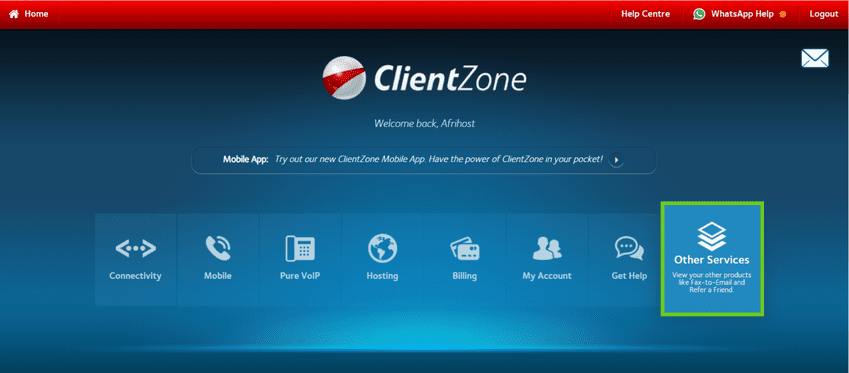
- Select ‘Max Support’.
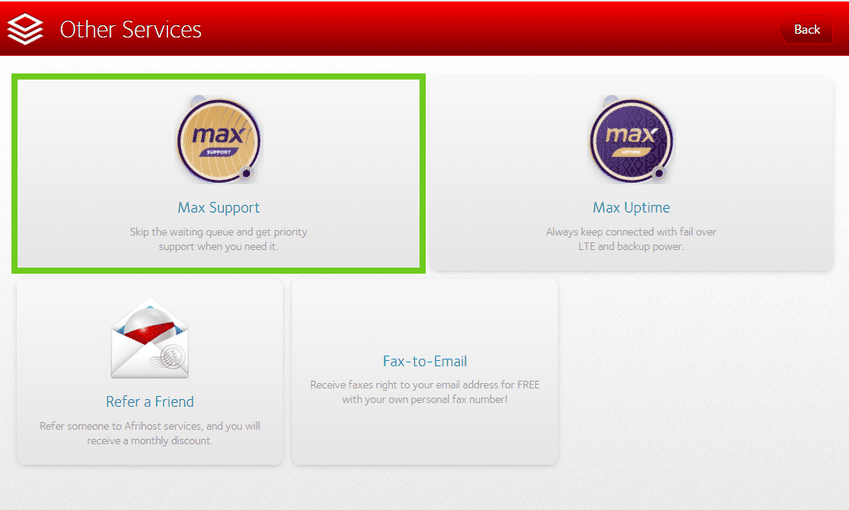
- Select the ‘Add new contact’ option.
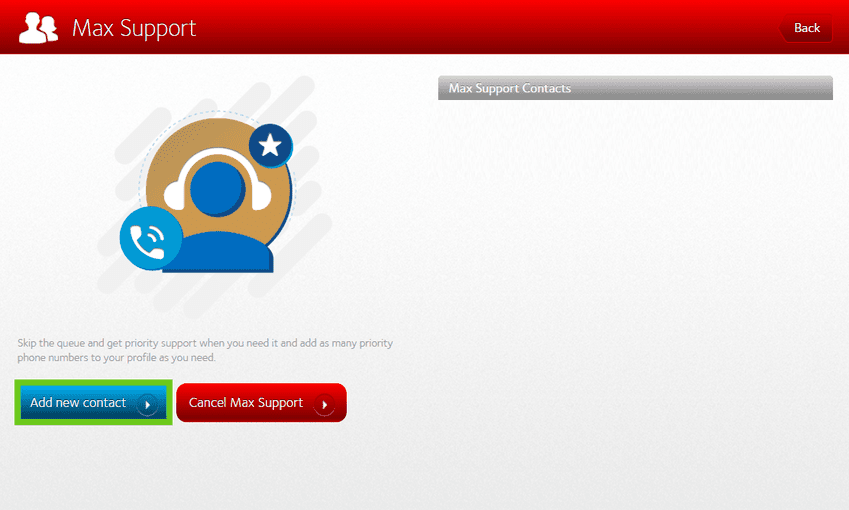
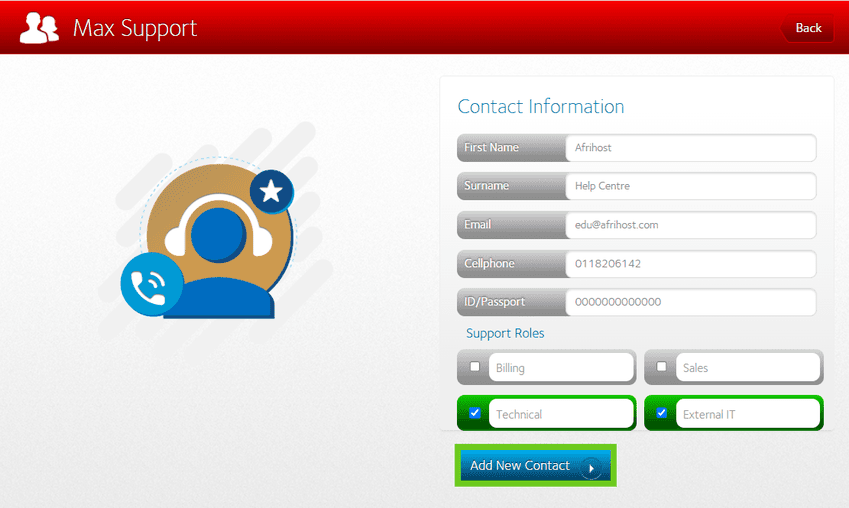
- Enter the priority ‘Contact Information’ for Max Support.
- Select the ‘Support Role’ of the added contact.
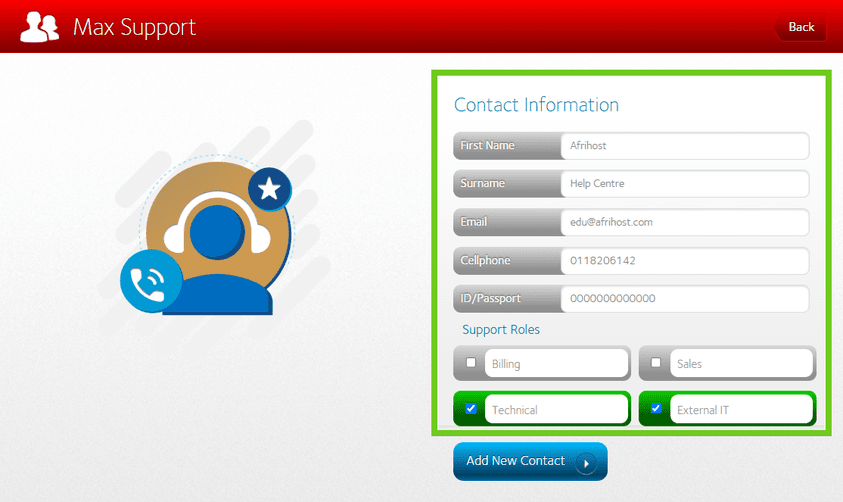
Select ‘Add New Contact’ to save the details.
- A success message will appear once support contact has been created. Click ‘Okay’ to save the details.
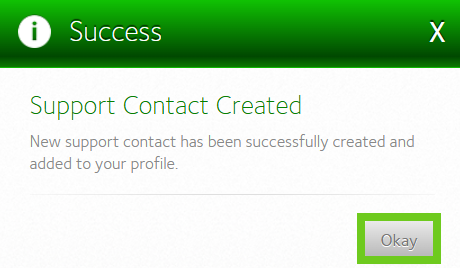
You have successfully created a priority Max support contact.