

Website hosting
How to install an AutoSSL certificate for your domain in CWP
cPanel AutoSSL.
If you would like to install an AutoSSL for a cPanel domain, please contact our support team.
What is an SSL certificate?
Read our Understanding SSL certificates article for more information.
- Log into ClientZone.
- Select the ‘Hosting’ tab.
- Under the Shared Hosting section, select your domain.
- Click on ‘Website Manager’.
- Select the ‘Log into Website Manager’ button.
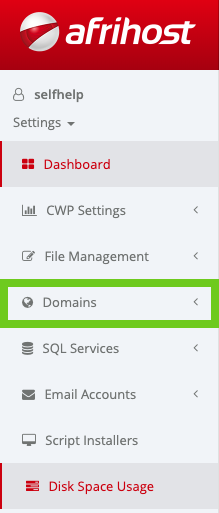
- Select ‘Domains’ in the side menu.
Do I have cPanel or CwP?
If you would like to know the difference between the two, please read How do I know if I have cPanel or CwP for further information.
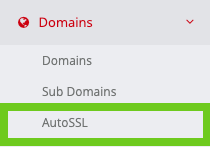
- Select ‘AutoSSL’.
- Select the domain name from the drop-down menu and click ‘Install’.
Important!
If your domain does not appear from the drop-down menu, it is likely to already have an SSL installed. It should appear under 'Installed Certificates'. You can 'delete' or 'renew' the current certificate.
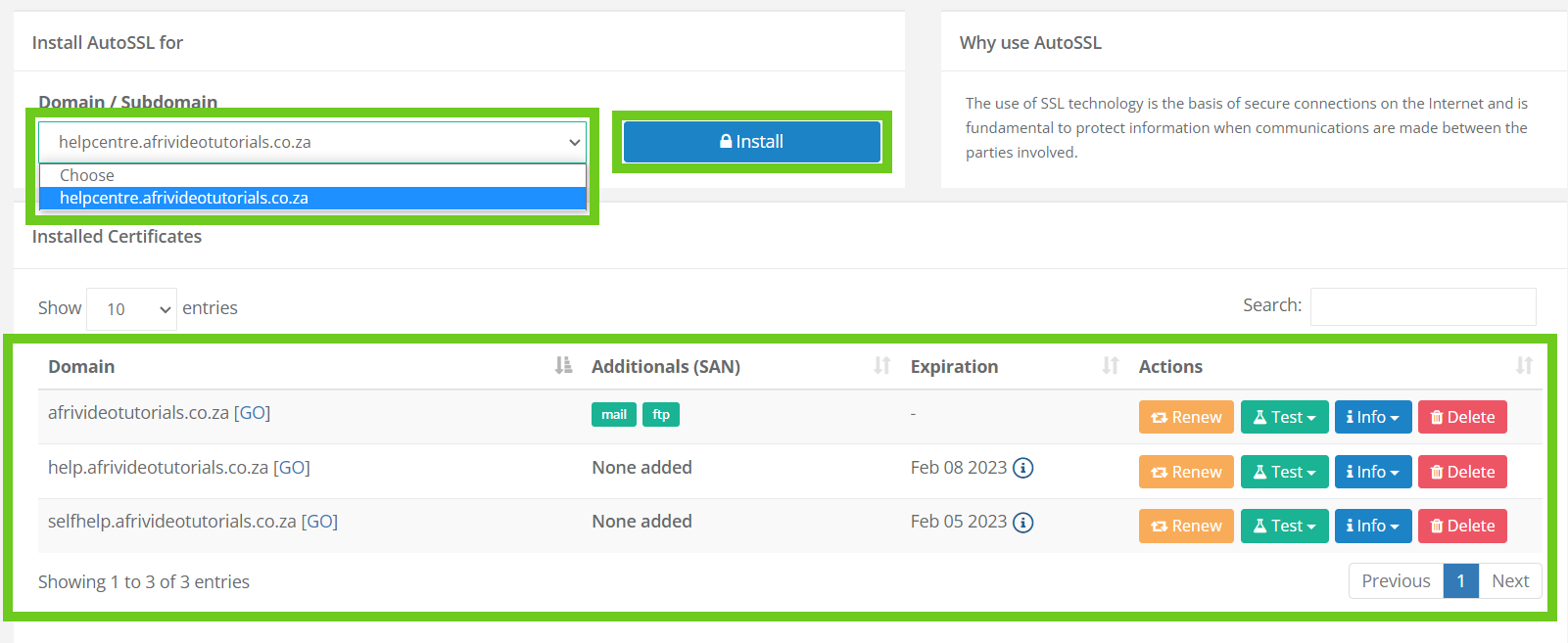
Your SSL certificate has been successfully installed for your domain.
How to install an auto SSL certificate in CWP
01:50