

How to set up your Afrihost Pure mail in Apple Mail
Setting up your email account in an email client, such as Apple Mail, gives you instant access to your emails if you are logged in to your computer. In this article, we will show you how to set up your Pure Mail email account in Apple Mail.
- Open your Apple Mail App.
- Select ‘Mail’ from the top menu and click ‘Add Account’.

- Under ‘Choose a Mail account provider...’,
- Select the ‘Other Mail Account’ button.
- Click ‘Continue’ to proceed.

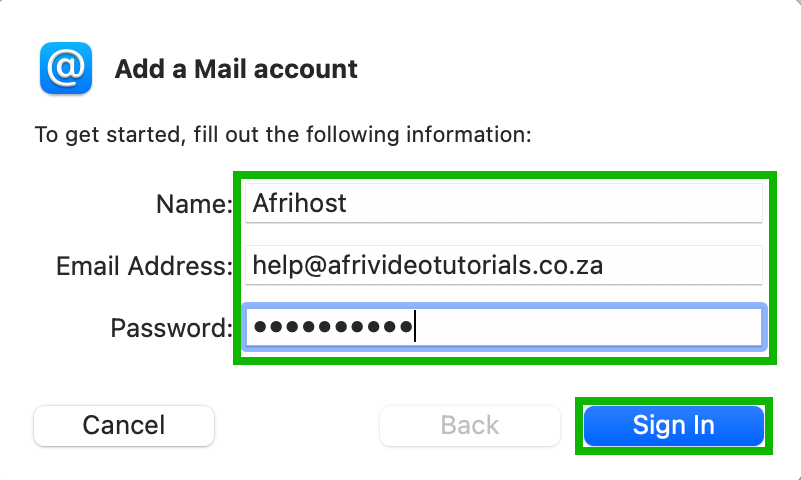
- Enter your name, full email address and the password of your mail account as required, and then select ‘Sign In’.
Please read How to update your Afrihost Pure Mail password for assistance.
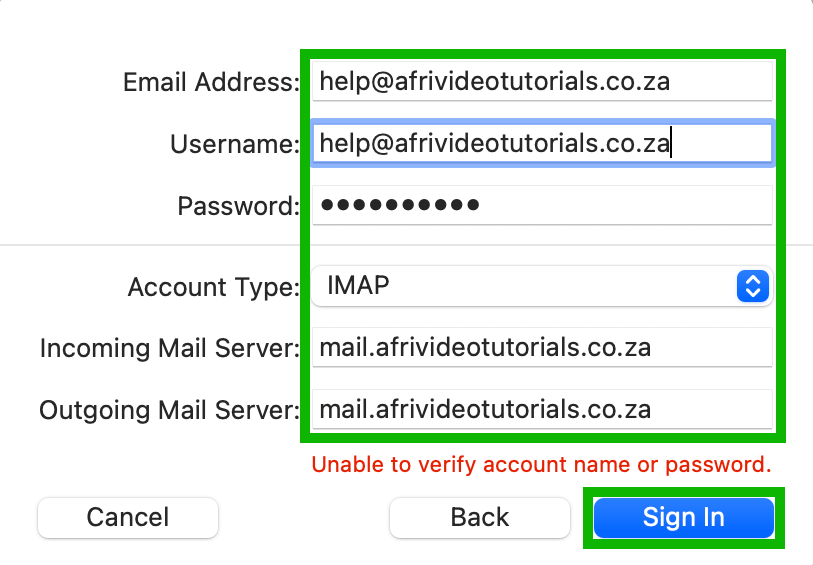
- If you get the ‘Unable to verify account name or password’ error, enter the additional information on the form as required and select ‘Sign In’.
- Email address: The full email address you are setting up.
- Username: The full email address you are setting up.
- Password: The password for the email address you are setting up.
- Account Type: IMAP (recommended) or POP.
- Incoming Mail Server: This is usually mail.yourdomain name. For example, if your domain name is example.co.za, the Incoming Mail Server would be ‘mail.example.co.za’.
- Outgoing Mail Server: This is the same as above, e.g., mail.example.co.za.
You may encounter an error stating that 'Mail can’t verify the identity of the server'. This usually happens when the username or password has been entered incorrectly. Please double check that your login details are correct.
If you receive a certificate warning such as: ‘Mail can’t verify the identity of your server and your domain name’, you can safely click ‘Continue’ as long as your username and password are correctly entered.
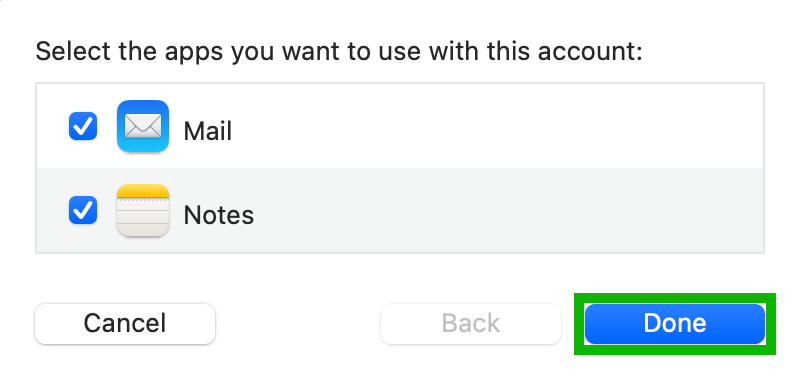
- Select the Apps you want to use in this email account and click ‘Done’ to complete the process.
- Your new email account will be added to the Apple Mail client app.
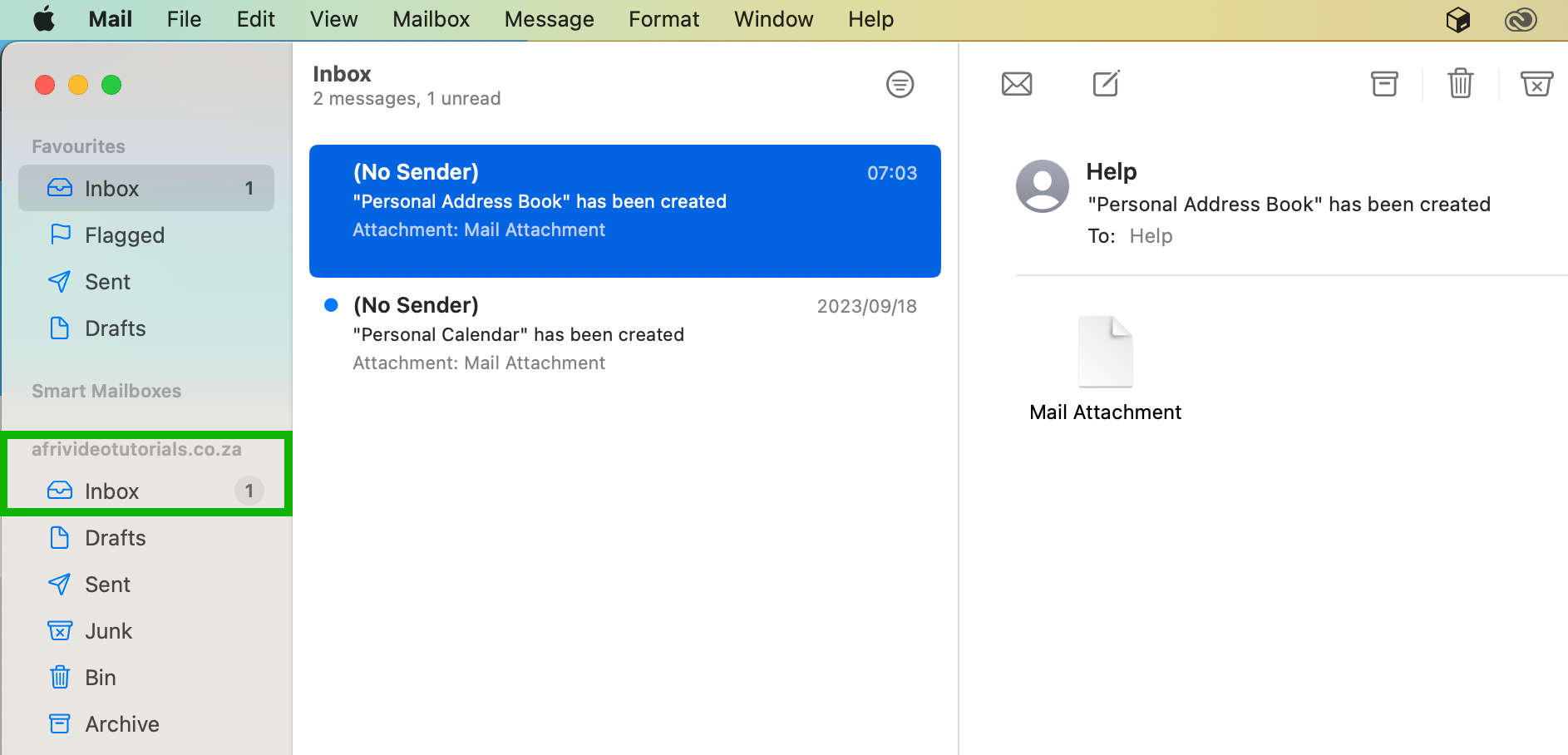
You have successfully set up your Afrihost Pure Mail in Apple Mail.
Read our How to set up emails on an Apple iPhone article for detailed instructions.