

Porting to AirMobile
Porting your number over allows you to move to Afrihost without losing your mobile number.
In this article, you can find the following information:
- Porting to a physical SIM.
- Porting to an eSIM.
- Frequently Asked Questions (FAQs).
1. Porting to a Physical SIM
Follow these steps to port to a physical SIM
When porting a physical SIM card over to Afrihost AirMobile, ensure you do not insert the new SIM card into any device until the process is complete.
- Sign up for AirMobile via AirMobile app or afrihost.com
- After finishing the sign-up process, proceed to log into your Afrihost AirMobile app to finalise the porting process.
The AirMobile app can be downloaded from the Google Play store, Apple store, and Huawei store.
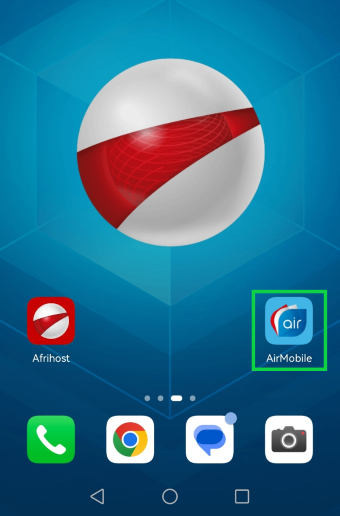
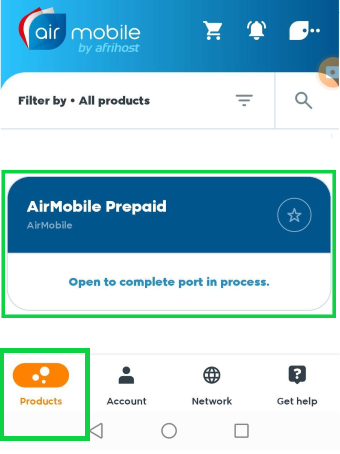
- Under Products tab, locate the pending porting order related to your physical SIM card. Then tap ‘open to complete port in process’.
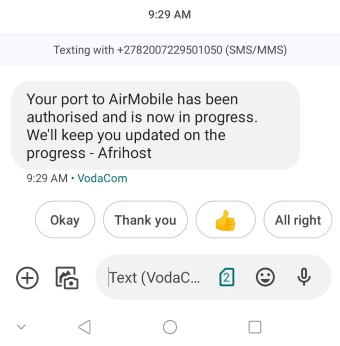
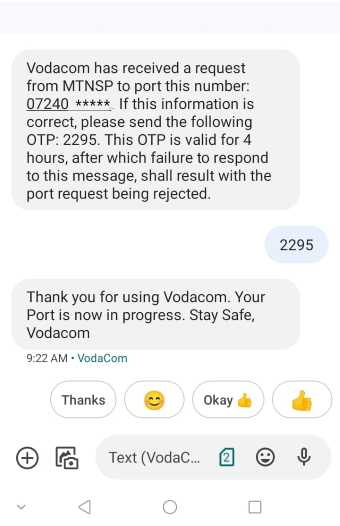
- Once initiated, you will receive an SMS confirming the porting request.
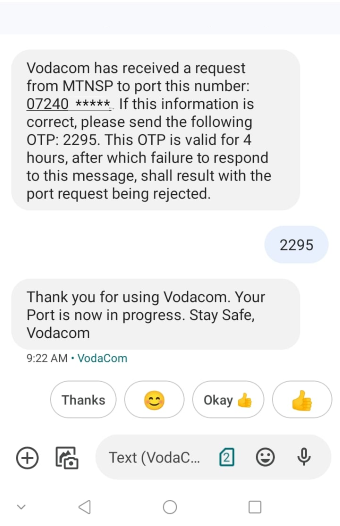
- Respond to the confirmation SMS from your current provider with the provided OTP to authorise the porting.
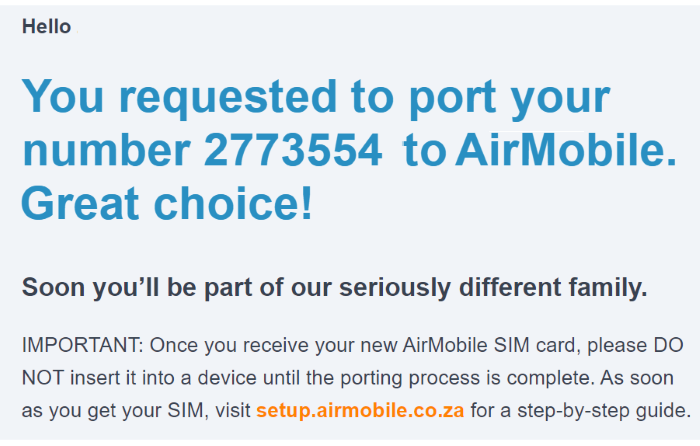
- After successful authorisation, you'll receive an email confirming the completion of the porting process.
Once the porting is completed, your current SIM will be disconnected, and communication will be routed to your email instead.
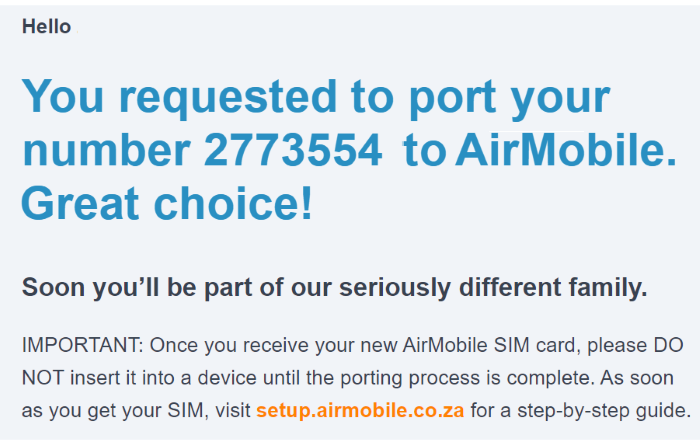
- You may now insert your new SIM card into your device.
Once your eSIM is active, you will receive a provisioning message. Open it and select OK. The AirMobile APN settings will be applied. Alternatively, proceed to set up the APN manually if your device doesn't support autoconfiguration.
2. Porting to an eSIM
An eSIM or an Embedded SIM is a tiny digital ID card that is built-in to your mobile or wearable device. It cannot be taken out like a regular SIM card. An eSIM allows you to easily switch networks or activate new plans without needing a physical SIM card. If your device does not have this technology an eSIM will not work on your device.
Follow these steps to COMPLETE porting to an eSIM
- You will receive an email confirming that your eSIM is ready for download.
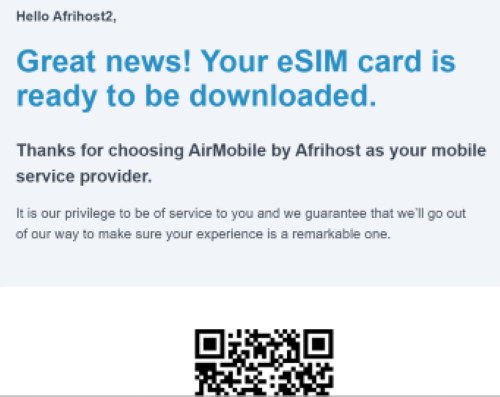
- Don't download the eSIM until the porting process is finalised.
- Log into your Afrihost AirMobile App to access the porting section.
The AirMobile app can be downloaded from the Google Play store, Apple store, and Huawei store.
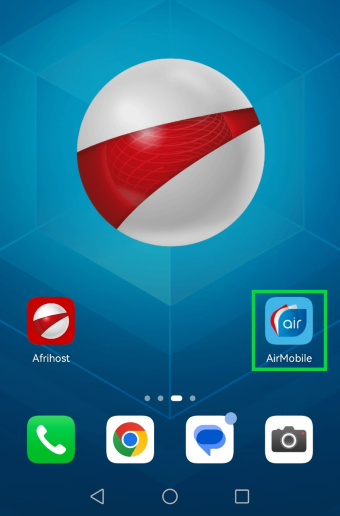
- In the app, navigate to the 'Products' section.
- Locate the pending porting order related to your eSIM and tap ‘Open to complete port in process’ to proceed.
This will start the porting process, and you will receive an SMS confirming the completion.
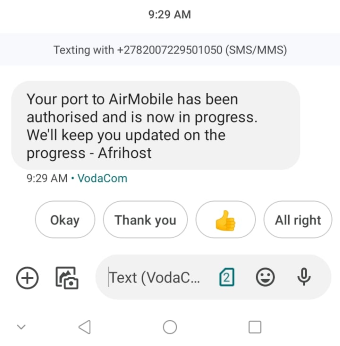
- Upon receipt of an SMS from your current network provider, reply with the provided OTP to authorise the porting request.
- Once successfully ported, you will get email confirmation that the process has been completed successfully.
- Now, you can proceed to download the eSIM as instructed in the earlier email.
- Once downloaded, your device will be ready to utilise the AirMobile network through the eSIM technology.
Once your eSIM is active, you will receive a provisioning message. Open it and select OK. The AirMobile APN settings will be applied. Alternatively, proceed to set up the APN manually if your device doesn't support autoconfiguration.
3. Frequently Asked Questions (FAQs)
When can I request a port transfer?
- Mondays-Fridays (Public Holidays Excluded) - 09:00-17:00.
- Saturdays (Public Holidays Excluded) - 09:00-13:00.
- Sundays - Port Requests are not processed on Sundays.
When does the port transfer happen?
All porting happens between 19:00-22:00 on all days except public holidays.
Should the port request be received in time on a particular day and your request is accepted, you should be able to port on the same day that the request is made.
What is the cost associated with porting?
You only pay for the SMS that you send requesting the port.
There are a few factors to be aware of, such as if you are cancelling a long‑term contract with your current service provider, they may charge you a cancellation fee.
What happens to my airtime, data, and SMSes when I move from my current service provider to Afrihost AirMobile?
If an existing Air Mobile legacy client transitioning to the new AirMobile service, all your current airtime and data will be transferred to your new SIM card.
However, if client is moving to Afrihost AirMobile from another service provider, client will lose any remaining airtime, data, SMS bundles, and other credits associated with your current provider. Additionally any messages saved on your old SIM card such as SMS, MMS, and voicemail will not be retained.
If I port to Afrihost, how long must I wait before I can port to another Service Provider?
You will have to wait 60 days. This is due to regulatory practices and not Afrihost Specific.
Porting to AirMobile
03:30