

My Pure LTE SIM card is locked. How do I get it unlocked
Pure LTE packages can be locked due to the use of an incorrect router devices or the location changes without updating your provider. Pure LTE is designed to be used in one location, and the SIM card is locked to the location you provide and will only work at this location. Below we'll discuss how to change this location.
If you would like to know what LTE devices are approved please read this Help Centre article for further assistance.
How to update your LTE location in ClientZone.
- Log into ClientZone.
- Select the ‘Connectivity’ tab.

- Select the Pure LTE package on the right-hand side.

- Select the ‘Change location’ button to update the current location.
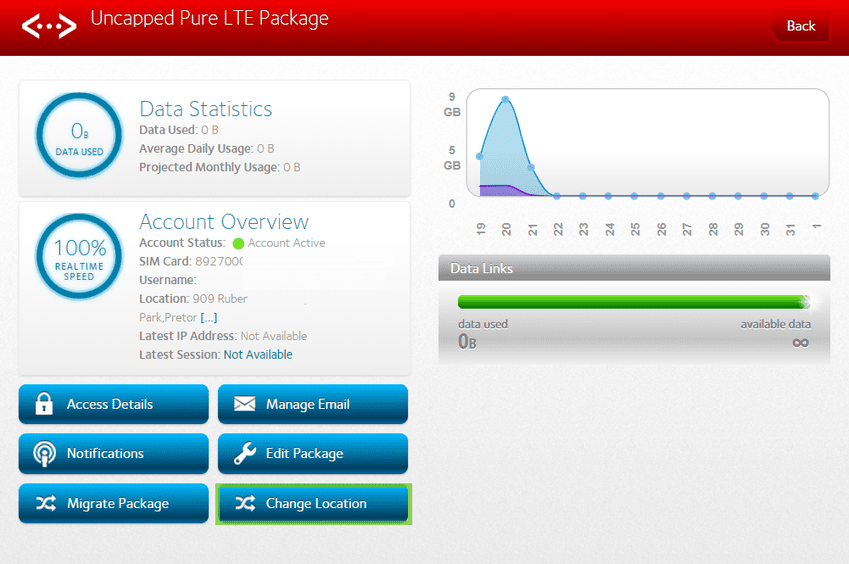
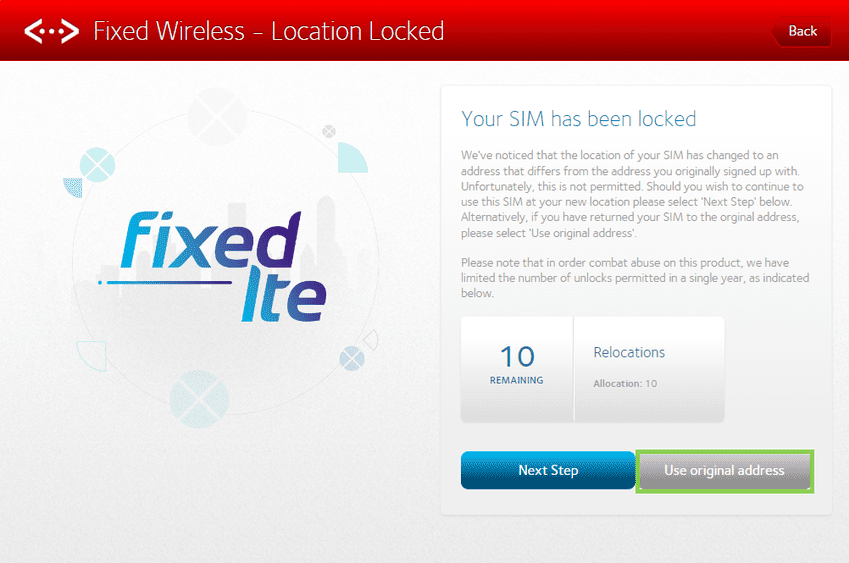
- Please note that clients are limited to 10 relocation requests.

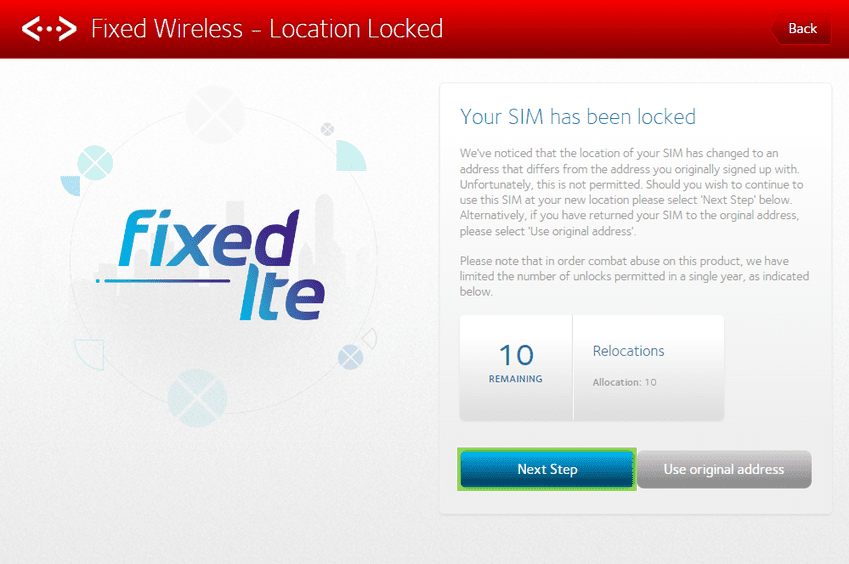
- If the location changed temporarily and you are back at your original linked address, select 'Use original address' to unsuspend the package.
- If the location has changed permanently and you wish to update it, click on ‘Next Step’.
- Enter the new location's address to check coverage, once done, select ‘Next Step’ to complete the change.
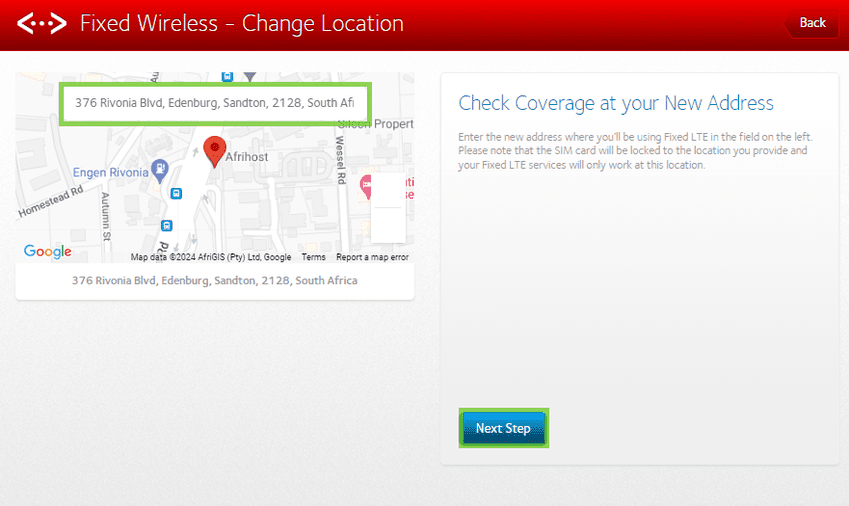
- Ensure the address is correct and click ‘Confirm address’.
- If the address is incorrect click on ‘Change address’ and correct the location.
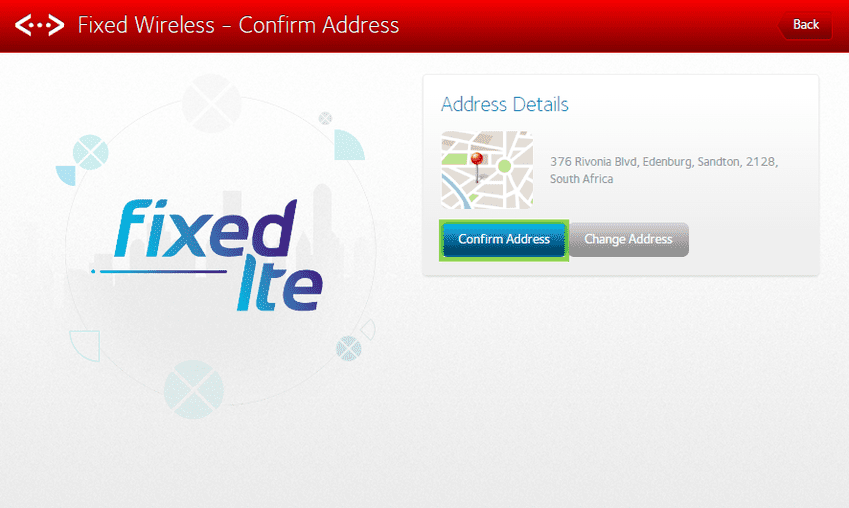
- Once the address change has been confirmed, the system will queue the location update. The update takes 2-24 hours to complete.
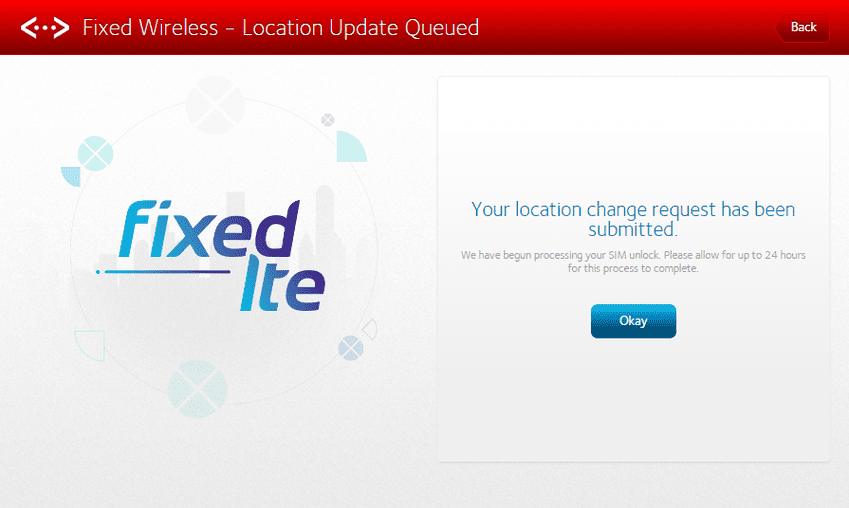
You have successfully updated your LTE location.
If you would like to know How to configure the APN on your TP-Link Archer MR600, please read our Help Centre article for more information.
Did a debit order or credit card payment fail? You can read our article on How to settle your account if your payment failed.